HOW IT WORKS
How Faiza Homes works
List your home, screen applicants and book showings with tools built for homeowners. See how Faiza Homes works from first listing to placed tenant.
Find the right tenants faster, with smarter screening and seamless showings
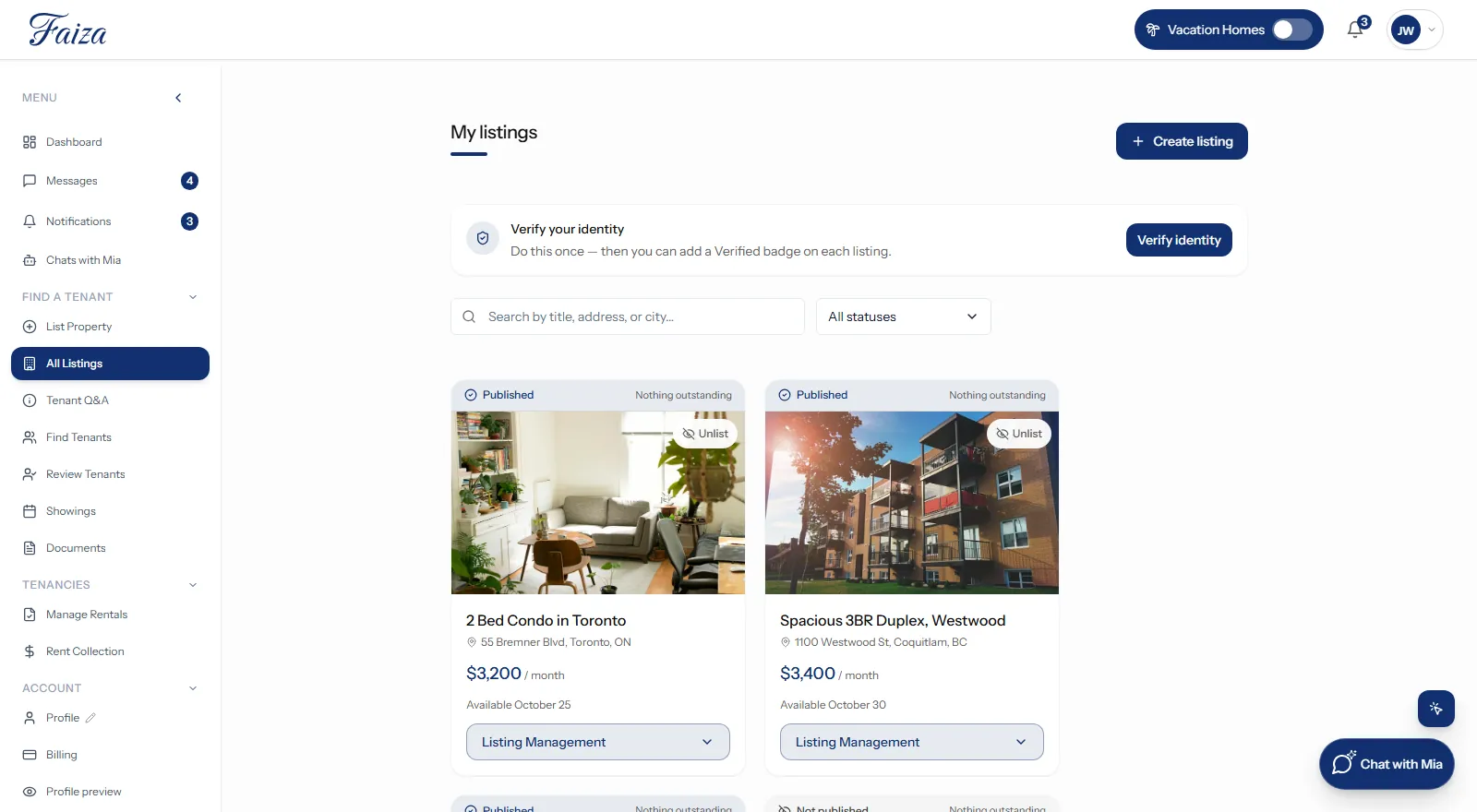
Stop wasting time on showings with unqualified tenants. Discover how Faiza Homes’s pre-screening feature helps you connect with the right applicants from the start. Learn how to set your availability, confirm and cancel showings.
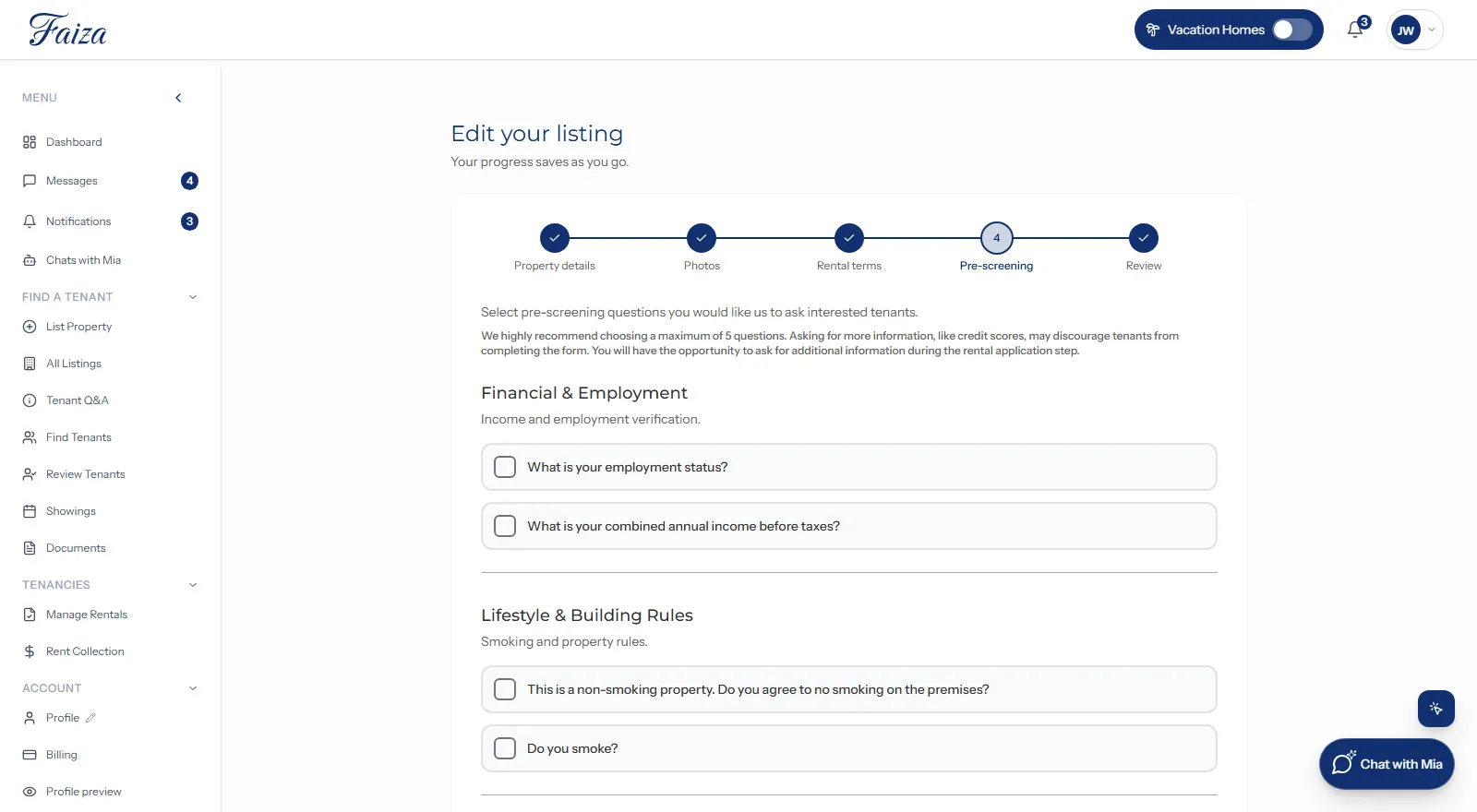
- Set your criteria: Create a custom pre-screening form with key questions for tenants.
- Tenants apply: Prospective tenants fill out the form with their details.
- Get notified: Receive a notification once a form has been submitted.
- Pre-screened: Each application is scored against your key questions and grouped for you. Every decision stays yours.
- Evaluate applicants: Review scored responses, message tenants, invite for a showing, or reject based on your criteria.
- Availability: Set your availability for showings.
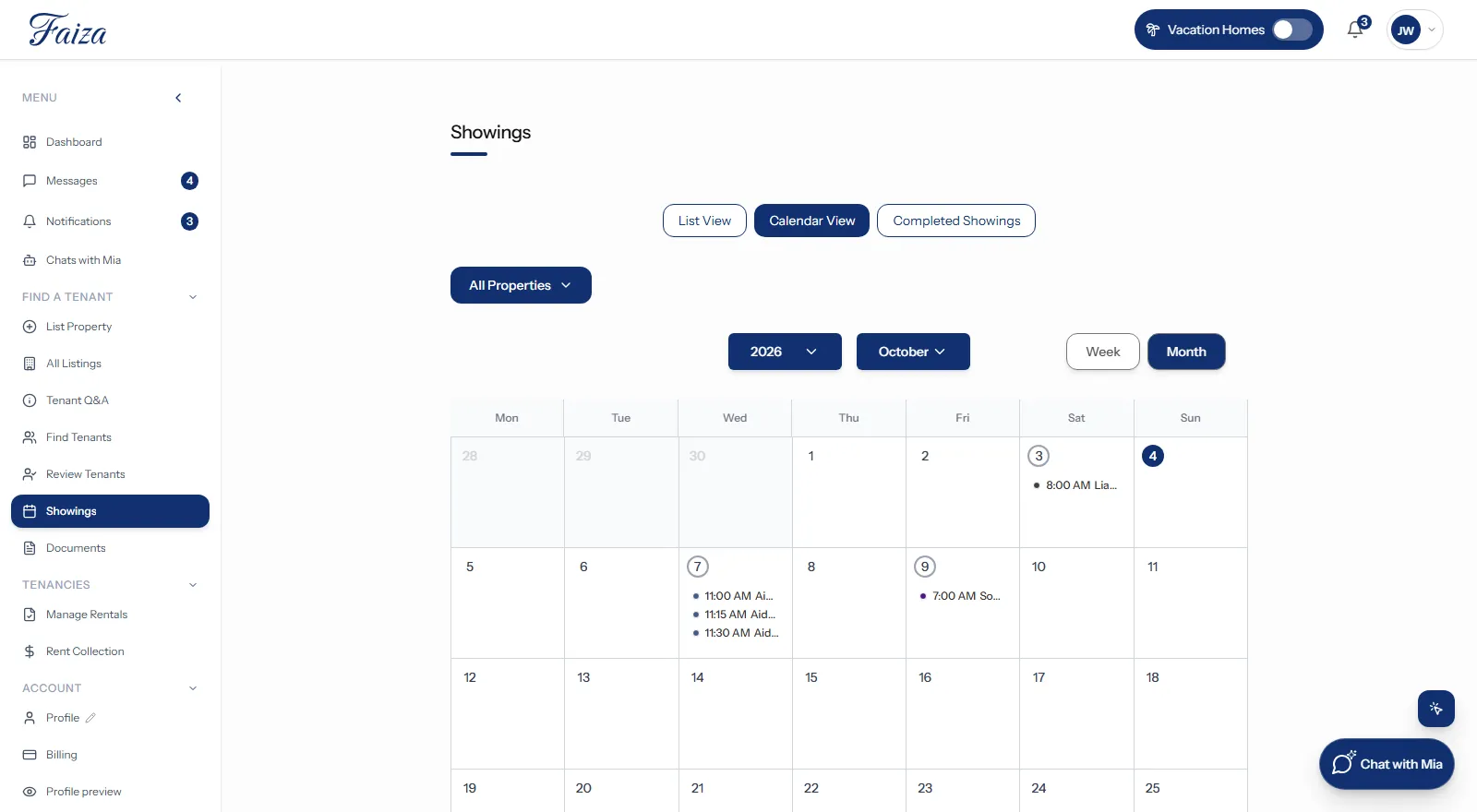
- Calendar showing feature: Confirm, cancel, or reschedule tenant showings.
Virtual staging
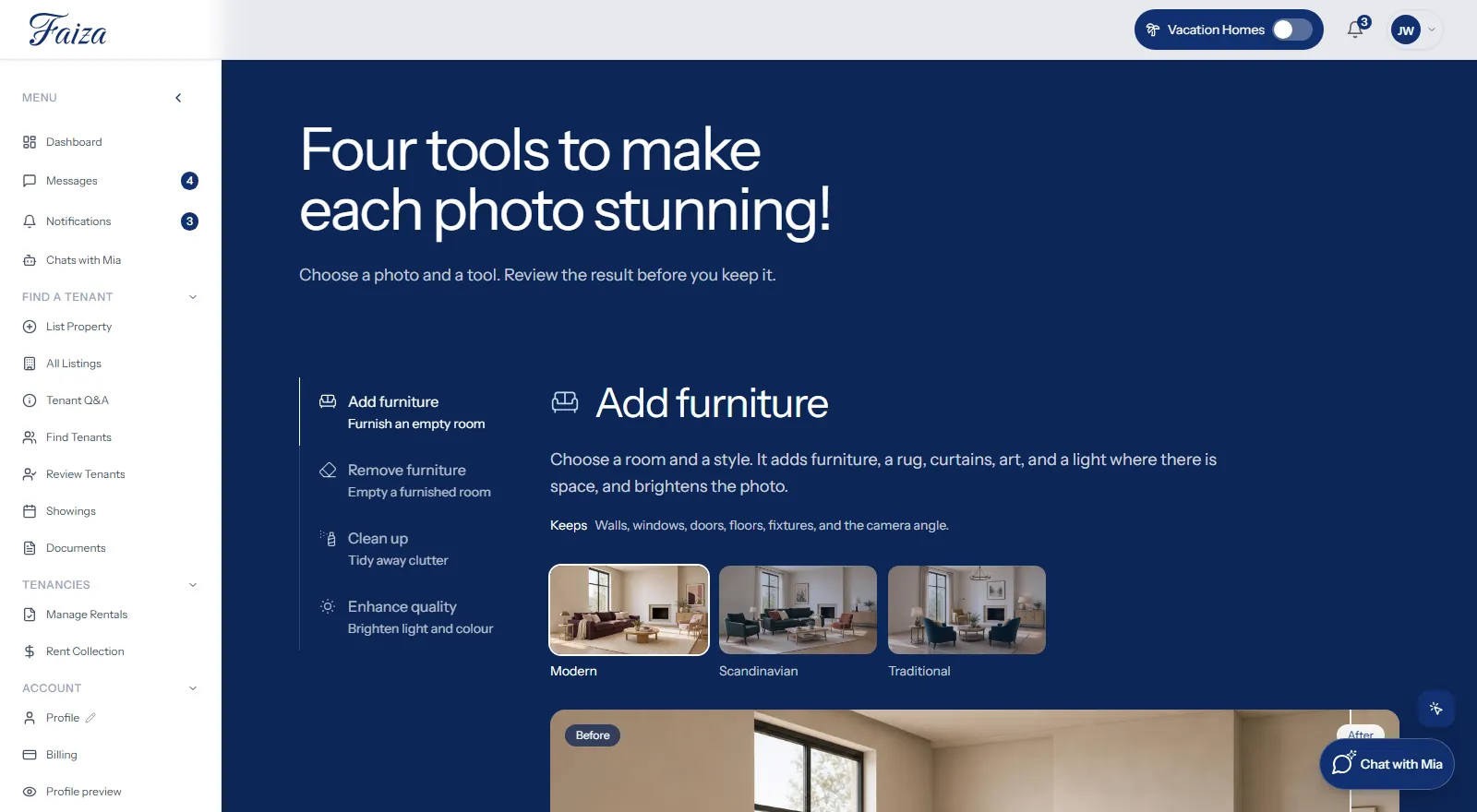
Make a great first impression with AI photo tools built into the photo step of your listing. Add furniture to an empty room, remove furniture from a busy one, or improve a photo — the room itself stays exactly as it is.
Find tenants
Tenant profiles carry detailed preferences, so you can filter candidates by location, budget, and rental requirements.
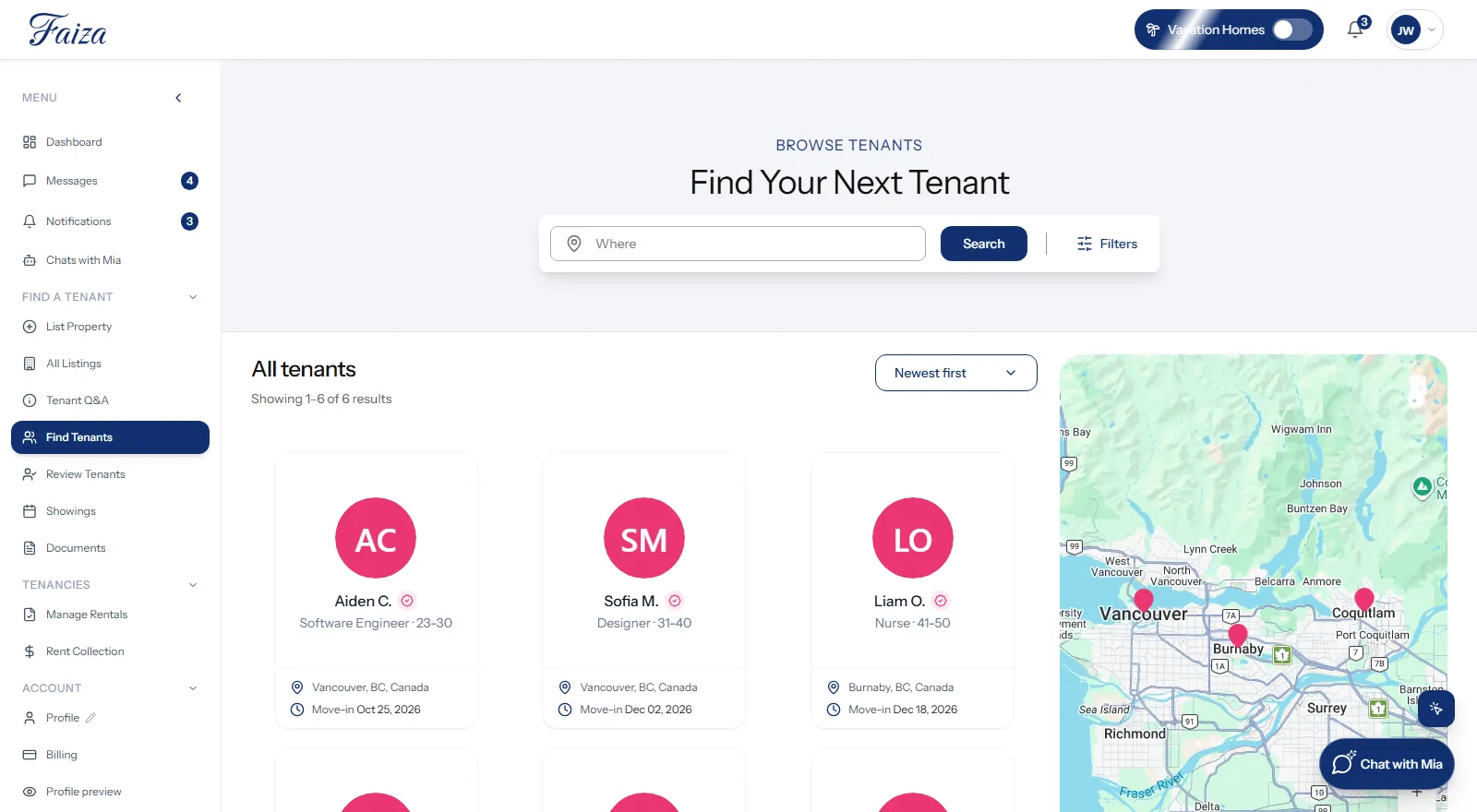
- Tenants create profiles: Tenants create profiles that share their preferences, such as location, budget, and rental needs.
- Filter tenant searches: Filter the Faiza Homes tenant database by location, preferences, and rental requirements.
- Connect with tenants: Reach out to matched tenants quickly and easily for further steps.
Tenant recommendations
Faiza Homes notifies you the moment a tenant matches your criteria, so you don't have to go looking.
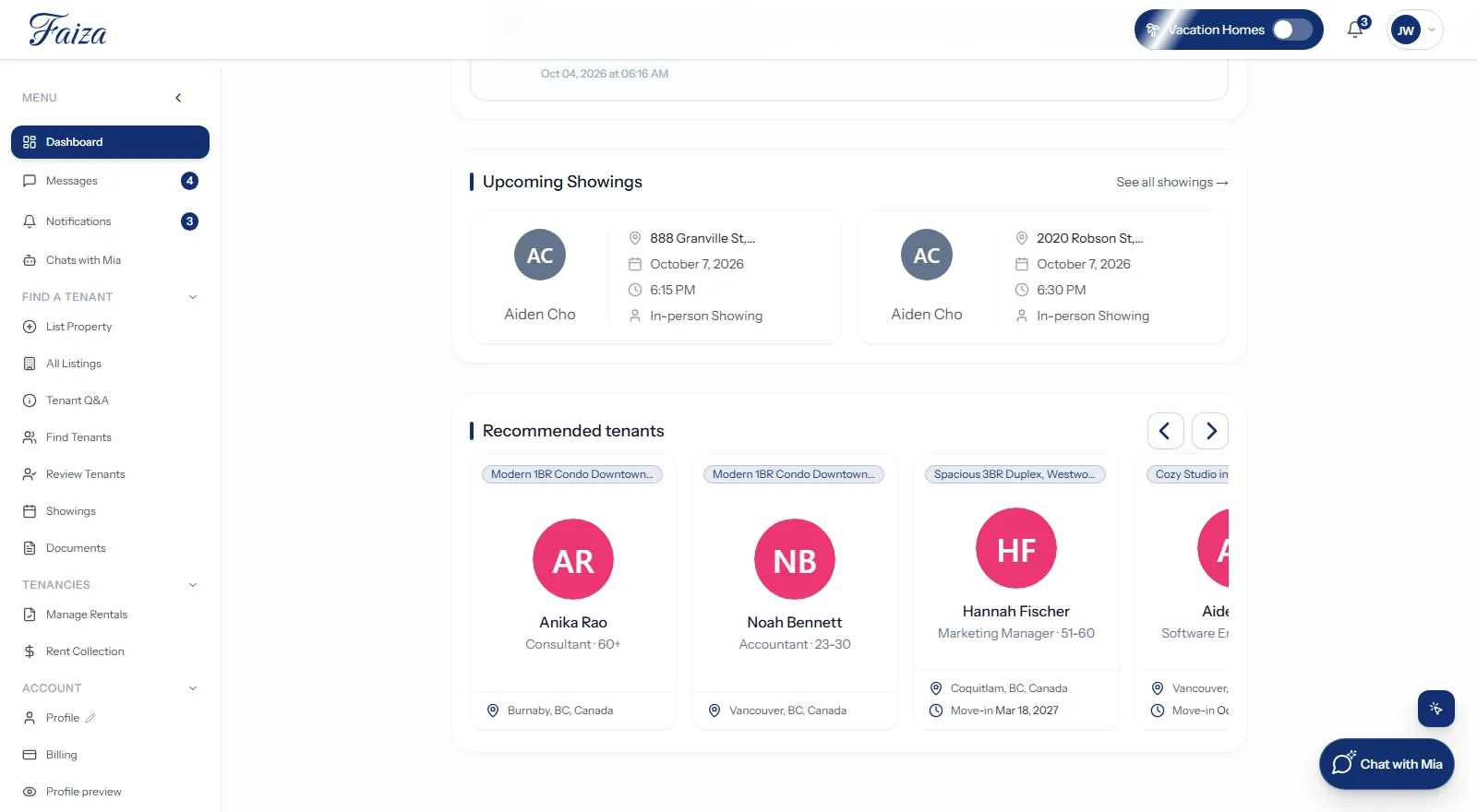
- Stay in the loop: Get a notification the moment a tenant matches your criteria.
- Evaluate your match: Review the match and decide whether they fit your property.
- Make the connection: Reach out and move forward with the rental process.
Integrated calendar for booking showings
Background and credit checks
Faiza Homes offers background and credit checks to help homeowners find reliable tenants. Our detailed reports include key information like income verification, credit scores, and potential red flags.
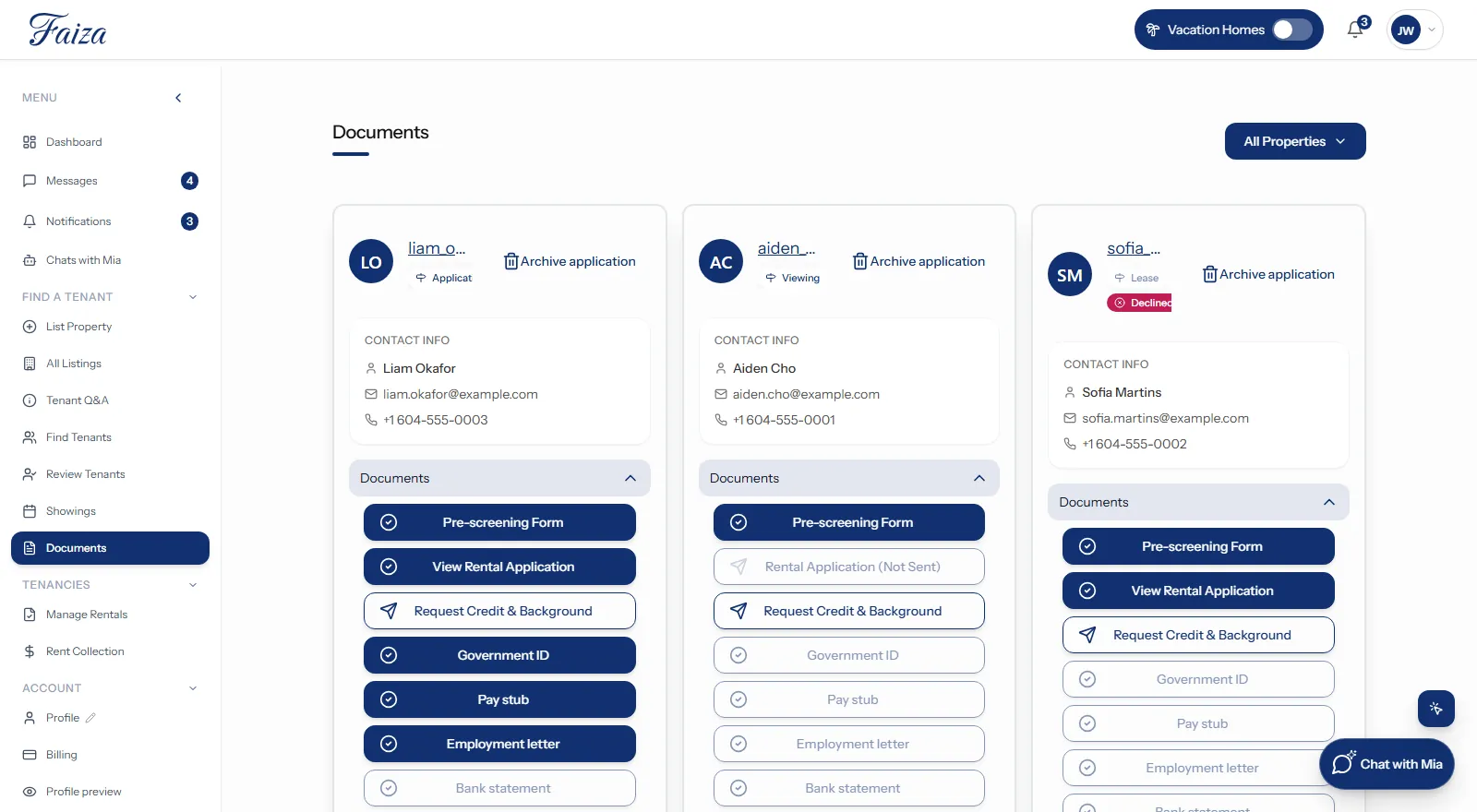
- Tenant and homeowner agreement: Once the homeowner and tenant agree to proceed with the property, Faiza Homes invites the tenant to complete the screening process.
- Document submission: The tenant uploads key documents, including proof of income, landlord references, and a valid ID.
- Request the reports: Select “Ask the tenant for a background & credit report” from the “Completed Showings” view under “Showings”. The tenant is asked to supply their own recent background and credit reports. Once they upload them, open them from the "Background and credit check" button on the "Documents" tab.
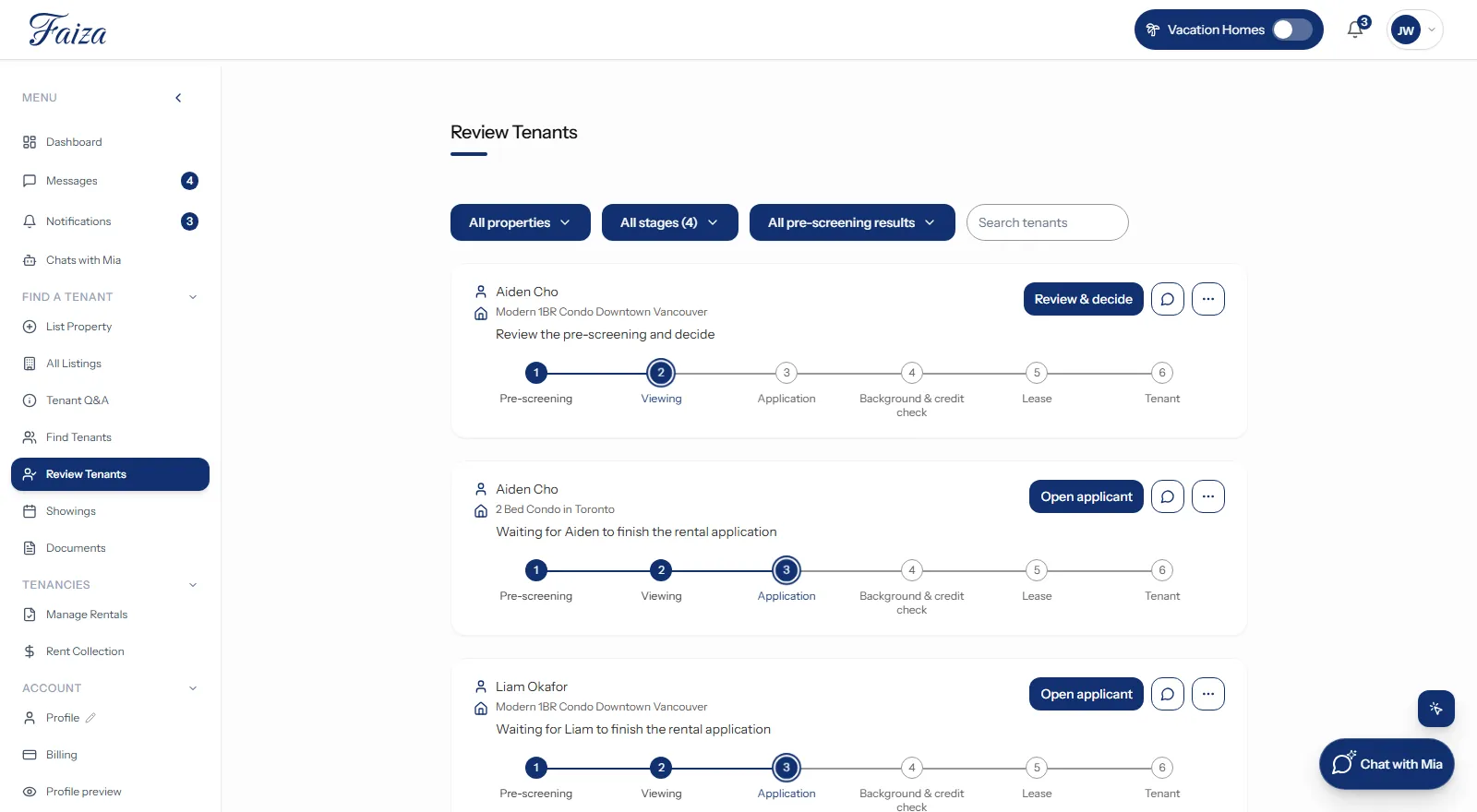
Keep track of all your tenant applications and statuses
FAQ
Faiza Homes simplifies the rental process for homeowners and tenants. Whether you're a tenant searching for your next home or a homeowner looking for the ideal tenant, Faiza Homes takes the stress out of leasing.
We are a digital platform that operates in Ontario. Our headquarters is located in Ottawa.
On the navigation bar at the top of the page, select “List Property” to be directed to our rental listing form. If you are not logged in, you will be prompted to login or create an account.
When listing your property, be sure to fill out the custom pre-screening form. This allows you to add important questions, such as number of occupants, household income and more to help you effectively screen applicants.
On the top navigation bar, select “Find Tenants” to have access to our database of tenants. Utilize the filters to identify tenants whose preferences align with the features and criteria of your property. Your “Dashboard” also shows recommended tenant profiles that match your property's requirements.
A submitted pre-screening form is scored automatically, and you will receive a notification once it arrives. You can read the tenant's answers on the “Review Tenants” page, or find the form itself in the “Documents” tab of your profile.
To invite a tenant to schedule a showing of your property, you first need to review their pre-screening form. The pre-screening form will be accessible to tenants from your property listing and contain the questions of your choice when you first list your property. Once the tenant has filled out the pre-screening form, you will receive a notification to review it. At the bottom of the tenant’s response, you will have the option to message the tenant for any further questions/clarifications, or if you are happy with their response, you can directly invite them to apply. If you choose to message them, you can invite them to schedule a showing directly from the chat.
Once a tenant has submitted their pre-screening form and you have reviewed it, you can message them directly from your “Messages” inbox.
In your account, you will need to navigate to the “Showings” tab. Then toggle between the “List view” and “Calendar view” tabs to review, confirm, cancel or reschedule your upcoming property showings.
To reschedule a showing, you will need to navigate to the “Calendar view” tab under “Showings” in your account and select the showing you would like to reschedule or cancel. On the pop-up that appears, you can select the “Edit” button which will open up a calendar where you can select another date and time to show tenants the property or cancel the showing altogether.
Go to the “Documents” tab and select the rental application to make any changes.
You request them, and the tenant uploads their own recent background and credit reports from their “Documents” page. To request them, select “Request Credit & Background” on the “Documents” page, or “Ask the tenant for a background & credit report” from the “Completed Showings” view under “Showings”.
Both “Deactivate” and “Delete” options are available through the “All Listings” page within your account. On this page, you can toggle between the different property tabs to select the property you would like to deactivate or delete.
You pay nothing until a tenant is placed. The placement fee is a percentage of the first month’s rent: 25% of first month's rent if you list 1–3 homes, 20% of first month's rent if you list 4+ homes. Maintenance support is optional and billed separately (+ $29 / month on Tier 1, + $24 / month on Tier 2). Maintenance billing starts on the lease start date. For more information, please refer to the pricing page.
Payments of fees related to the use of the Faiza Homes platform are made through the “Billing” page in your user account. The “Pay now” button will take you to our payment platform.
Let's Chat!
Have a question? We'll reply within 1 business day.